How To Check Out What Font Is Used By A Website?
Web owners try different tools and techniques to bring improvement to their websites. These tips and techniques vary greatly among web developers.
Different tools such as plugins are used for this purpose, but the usage of the interactive and catchy font is underrated. Although it has a crucial role to play. You can use any type of font used on websites, on your website as well but first, you have to know about fonts used.
Let’s start with a basic question.
When Do We Need To Know About Font Used?
In daily internet use, you come across different websites. Some of them get your attention more than others not just because of their services but also the font used. There is a chance that you want to use the same font on your website. This is when you need to know about it before using it.
Fonts are the easiest way to improve the site’s look and bring charm to users. Good fonts not only captivate your users but also improve the readability of content published.
Font ensures that your user is getting the required content without confusion and discomfort. You can say that Call To Action(CTA) buttons can work because of fonts.
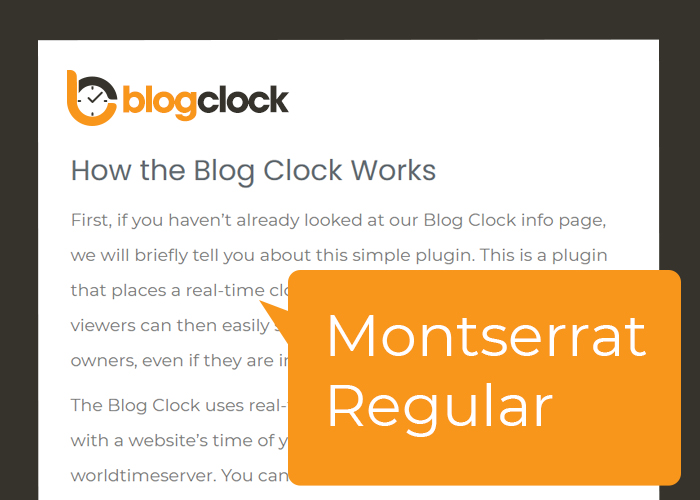
If you want to uplift your website performance then you need to use a good font just like this site has used in their posts.
How To Know About Font Used?
In the past, we were not provided with tools that would let us know about fonts used on the website in a matter of minutes. Instead, we were required to ask the question about used fonts from the web developer and still, it was not clear that we could know the name.
But thanks to the tools available now that have made the work easy and fast. By using them we can know the name without any problem.
Let’s have a look at these tools.
Knowing The Name Through Browser Inspector Tool
It is one of the easiest and commonly used method to know about the font used in quick time. Cast a look at the steps involved in getting to the font name:
1- Open the website in your Chrome or Firefox browser.
2- Open the browser inspector by right-clicking and then choosing the inspect option.
If you are a windows user you can use the shortcut command i,e “Ctrl+Shift+I”. Mac users can use “Cmd+Shift+I” as a shortcut key.
3- Now you have to navigate through the piece of content whose font you wish to know. There are two ways to navigate. First, you can select the part and click the inspect option, and the second way is to navigate to the element through the browser inspector document object model (DOM).
4- You are required to navigate to the ‘computed’ tab of the browser inspector as now you have selected the content.
5- Once you have reached the computed tab now it’s time to scroll down to font-family attributes.
6- You will be having the name of the font once you have scrolled down the font family attributes.
There you are with the font name by following the simple six-step method.
WebFont And Browser Extensions
Browser Extensions let you know the font name in just a matter of a few clicks. Browser Inspector tool is handy but not fast as browser extensions are.
Here are some browser extensions that can fulfill your requirement easily.
What Font:
It is the most commonly used option in knowing font names. Once you have enabled it on your browser your work becomes easy because you just have to float over the text to know about the font name.
Fontanello:
This is an easy to use and quickest known extension to get work done for you. You just have to enable it to see it’s magic. By highlighting or right-clicking the text you are given with the exact font name, style, and weight.
There are many other extensions known to do the same work such as peeper, CSS, etc. But you need to know that they have different browser support. Fontanello works with Chrome and Firefox only whereas WhatFont supports Safari, Explorer, Chrome, and Firefox.
Fonts have a role to play to give your site a fancy look just like the plugins that lighten up your website.
Recognizing The Font Used In Images
Visuals are a great way to convey messages but they also need text support. What if you want to know about the text used in images. Here extensions and browser inspector tools are useless.
You can use Squirrel Font Macherator to know about the image text. Here are the simple steps involved in doing so.
1- Download the image whose font you wish to know.
2- Upload the downloaded image in the interface of Matcherator.
3- Here you have to use the blue selection box to select the area of the image whose text you are looking for.
4- Press the ‘Matcherate It’ button once you have selected the image piece.
5- Your result will be the name of the font used in the image.
There is a possibility that you may have the font name very similar to the used one. You can look for the exact one by putting it in Google.
There are many methods that you can implement to engage users ranging from creating quizzes using plugins to incorporating legible and attractive fonts.
Here it is necessary to mention that right and legible fonts are also crucial for your website’s accessibility.
Conclusions
The use of legible fonts improves your site’s performance. You can use any method from the above mentioned to know about the font name which you can use for your own site or client’s website.